Loading community...
RCC and MCP: Building Scalable AI Coding Agent Systems

RCC and MCP: Building Scalable AI Coding Agent Systems
How the Model Context Protocol and RCC Environments Enable Secure, Isolated, and Manageable AI-Driven Software Engineering
As AI coding agents such as Claude Code, Cursor, and Codex become more capable, the challenge shifts from model intelligence to practical integration and operational control. Two complementary technologies have emerged to address these challenges: the Model Context Protocol (MCP) and RCC. Together, they provide a standardized way for AI agents to interact with tools and systems while ensuring reliable, isolated execution environments.
What is the Model Context Protocol (MCP)?
The Model Context Protocol (MCP) is an open standard created by Anthropic. It functions as a universal interface—often described as a “universal plug socket”—that allows AI models and coding agents to connect to external tools, data sources, and systems without requiring custom integrations for every service.
Instead of writing individual API wrappers for databases, file systems, GitHub repositories, or other services, developers build a single MCP server. An AI coding agent then acts as an MCP client. The client dynamically discovers the tools, prompts, and resources exposed by the server and can invoke them securely. This approach significantly reduces integration complexity and enables agents to perform complex, multi-step actions across local and remote environments.
Key benefits of MCP include:
• Standardized tool discovery and invocation
• Reduced need for custom API wrappers
• Secure, controlled access to system resources
• Compatibility with multiple coding agents (Claude Code, Cursor, Codex, and others)
What is RCC?
In the context of AI coding agents, RCC refers to one of two related but distinct platforms, depending on the specific toolchain in use.
Option A: RCC as Remote Control Console
RCC (Remote Control Console) serves as an operational dashboard and management layer for AI coding agents. When engineering teams run multiple agents—such as Claude Code, Cursor, or Hermes—across different machines, RCC aggregates those sessions into a single interface. It allows operators to monitor agent activity in real time, approve or reject tool-calling actions, and oversee automated workflows. This provides the human oversight necessary for production use of autonomous coding agents.
Option B: RCC by Sema4.ai (Robocorp)
RCC by Sema4.ai (formerly associated with Robocorp) is a command-line engine designed to build, manage, and distribute completely isolated Python environments. When AI agents generate and test automation scripts—particularly those using frameworks such as Robot Framework—RCC ensures that the code runs identically on a developer’s machine and on production servers. It eliminates dependency conflicts and environment drift, which is critical for reliable automation pipelines.
How RCC and MCP Work Together
When an RCC MCP Server is used, the two layers complement each other to create a complete system for AI-driven development:
• The MCP Server exposes specialized tools—such as file system operations, database queries, or domain-specific utilities (for example, reverse-engineering tools).
• The RCC layer wraps the execution environment. It spins up isolated runtime containers, manages configuration, and provides the monitoring and approval surface for the developer overseeing the agent.
This combination allows AI agents to perform powerful actions while remaining under controlled, reproducible, and observable conditions. The agent interacts with tools through the standardized MCP interface, while RCC guarantees that the underlying runtime is consistent and that human operators retain visibility and approval authority.
Practical Considerations
Teams adopting this architecture typically configure their agents via files such as claude_desktop_config.json or equivalent project-level settings. The choice between the Remote Control Console and the Sema4.ai environment engine depends on the primary goal: operational oversight of multiple agents versus guaranteed runtime isolation for automation code.
Both approaches address critical gaps in current AI coding workflows—tool integration on one side and reliable execution plus observability on the other.
Conclusion
MCP provides the standardized communication layer that lets AI coding agents discover and use tools. RCC supplies either the management dashboard or the isolated runtime environment required for safe, reproducible operation. When combined through an RCC MCP Server, they form a practical foundation for scaling AI-assisted software engineering beyond experimental use into production environments where reliability, security, and human oversight matter.
Sources & Further Reading
Anthropic – Code Execution with MCP
Sema4.ai / Robocorp RCC (GitHub)
RCC Ops (Remote Control Console)
Model Context Protocol Explained – Codilime
This article is compiled from publicly available technical explanations of MCP and RCC in the context of AI coding agents. All credit for the original concepts belongs to their respective creators (Anthropic for MCP; Sema4.ai/Robocorp and related projects for RCC).
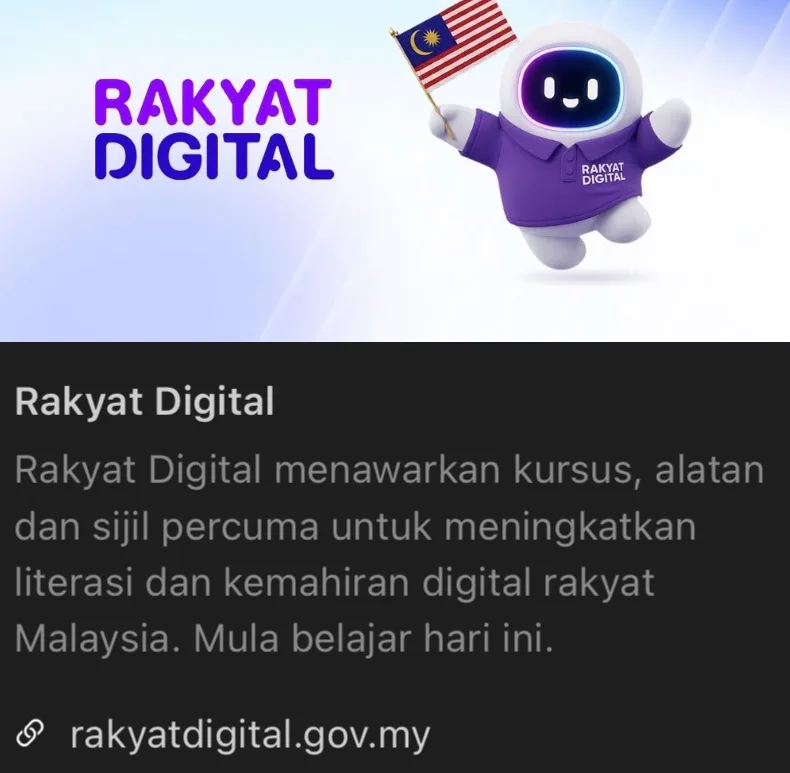
Start Building Your AI Skills Today with Rakyat Digital
Malaysian citizens can accelerate their AI and digital skills journey through Rakyat Digital, the national platform by MyDIGITAL Corporation under the Ministry of Digital. Register and log in using your MyDigital ID to access free learning pathways in digital literacy, AI awareness, and advanced skills.
Official portal: https://rakyatdigital.gov.my
Through the government-funded Global Learning Pass, eligible Malaysians with a MyDigital ID can receive 3 months of free access to more than 16,000 Coursera courses and Professional Certificates (covering AI, data science, cloud, business, and more). Licences are released in cohorts of 25,000 (up to 100,000 total). Registration is open on the Digital Skills Hub; if the current batch is full, you will be placed on a priority waiting list.
Tips to claim your 3-month Coursera access:
• Register and verify your account on Rakyat Digital using the same email linked to your MyDigital ID.
• Go to the Digital Skills Hub and select the Global Learning Pass / Coursera option.
• Activate the licence promptly once you receive the invitation email (usually within 48 hours; activate within 7 days).
• Note: Each learner is eligible for only one Coursera licence under this initiative. No prior course completion is required for the Coursera pass itself.
Separately, Malaysians aged 18–30 can complete the prescribed AI Untuk Rakyat courses (currently six modules including AI Nation 2030, Generative AI, AI Safety, Agentic AI for All, and others) on the platform to unlock 3 months of free access to selected AI tools. Complete your learning in the AI spaces on Rakyat Digital and take advantage of these government-supported opportunities.
Learn more and register now: Rakyat Digital – Digital Skills Hub | Coursera Terms & Conditions
Article compiled November 6, 2026.
Comments 0
Sign in to comment.