Loading




Two and a half hours to turn a real problem for a community or a small business into a working app. Pick an idea, build it with the AI coach, and put it on the board for everyone to see.

Every participant needs a ticket for their session on Rakyat Builders Hub. It is part of Rakyat Digital, so you need a Rakyat Digital account first. Already have your ticket for today? Check step 4 so you can show it, then go to B.
Sign up at rakyatdigital.gov.my with your MyDigital ID. Already have a Rakyat Digital account? Sign in instead.
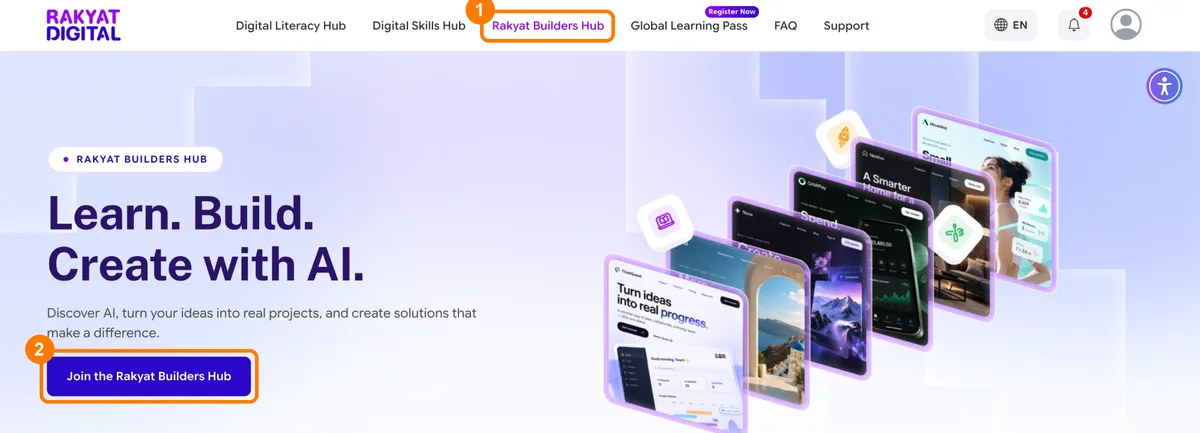
Open Rakyat DigitalOn Rakyat Digital, click Rakyat Builders Hub in the top menu (1), then the Join the Rakyat Builders Hub button (2).
In Builder Hub, open Events (Acara) (1) and choose Rakyat Digital Buildathon powered by ILMUCode (2). Click Join and pick today's session, the same one you pick here in B.
Open Builder Hub events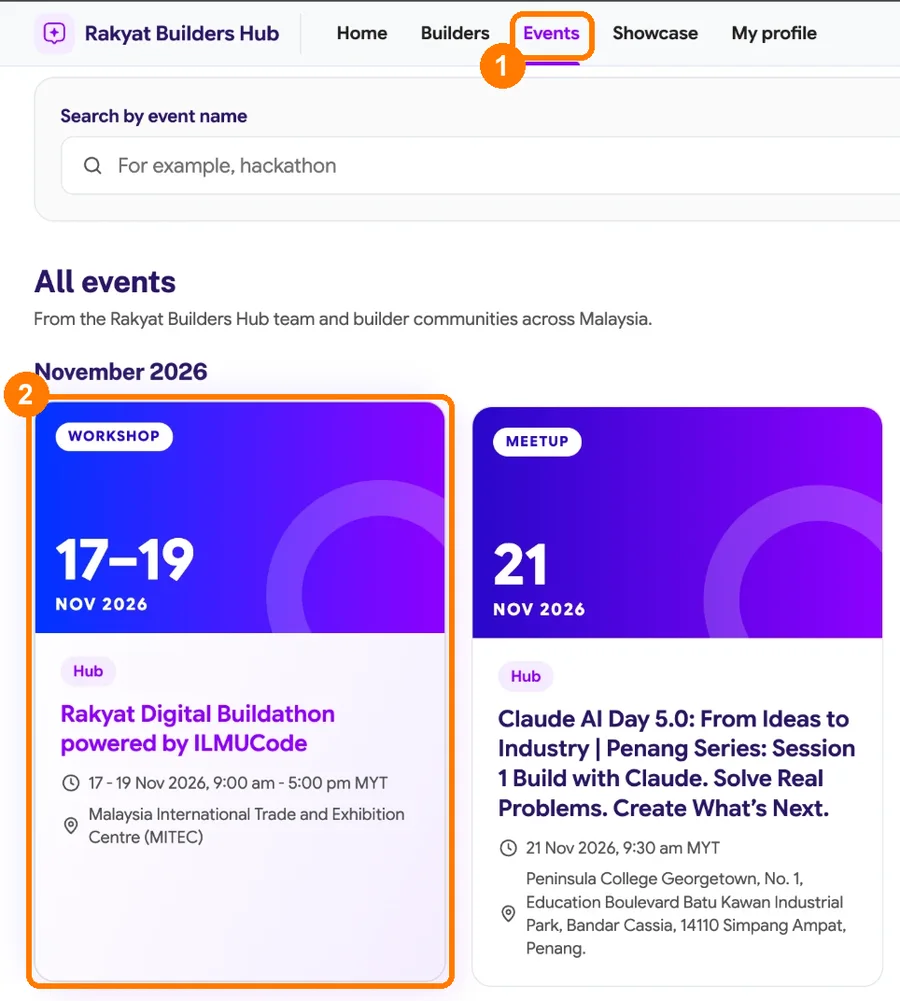
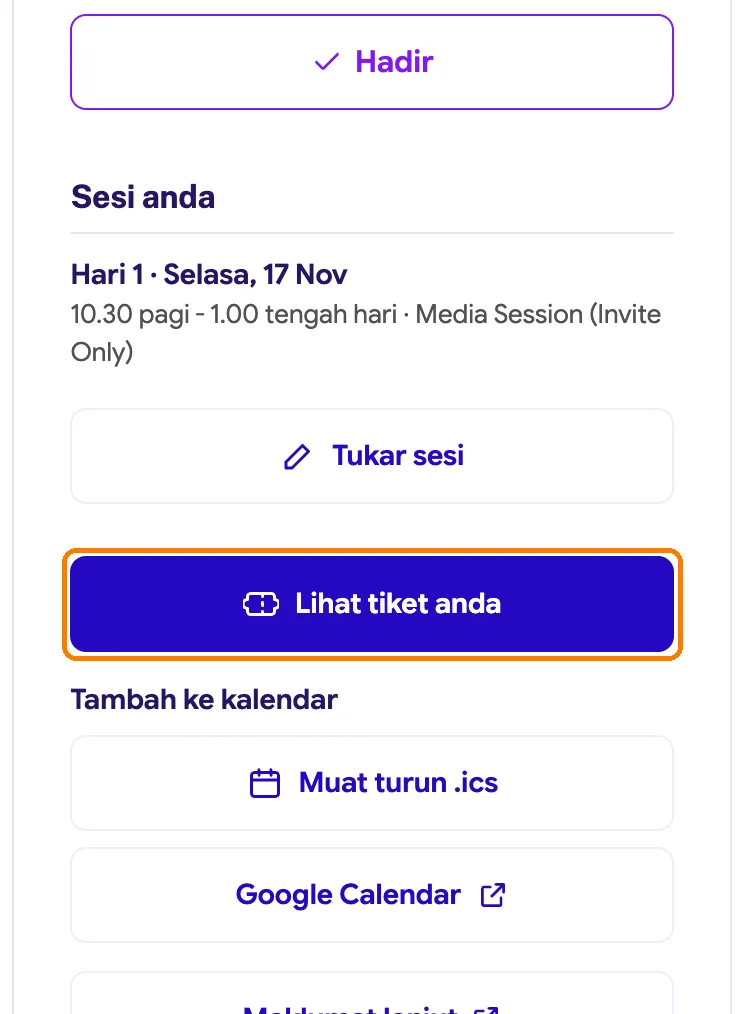
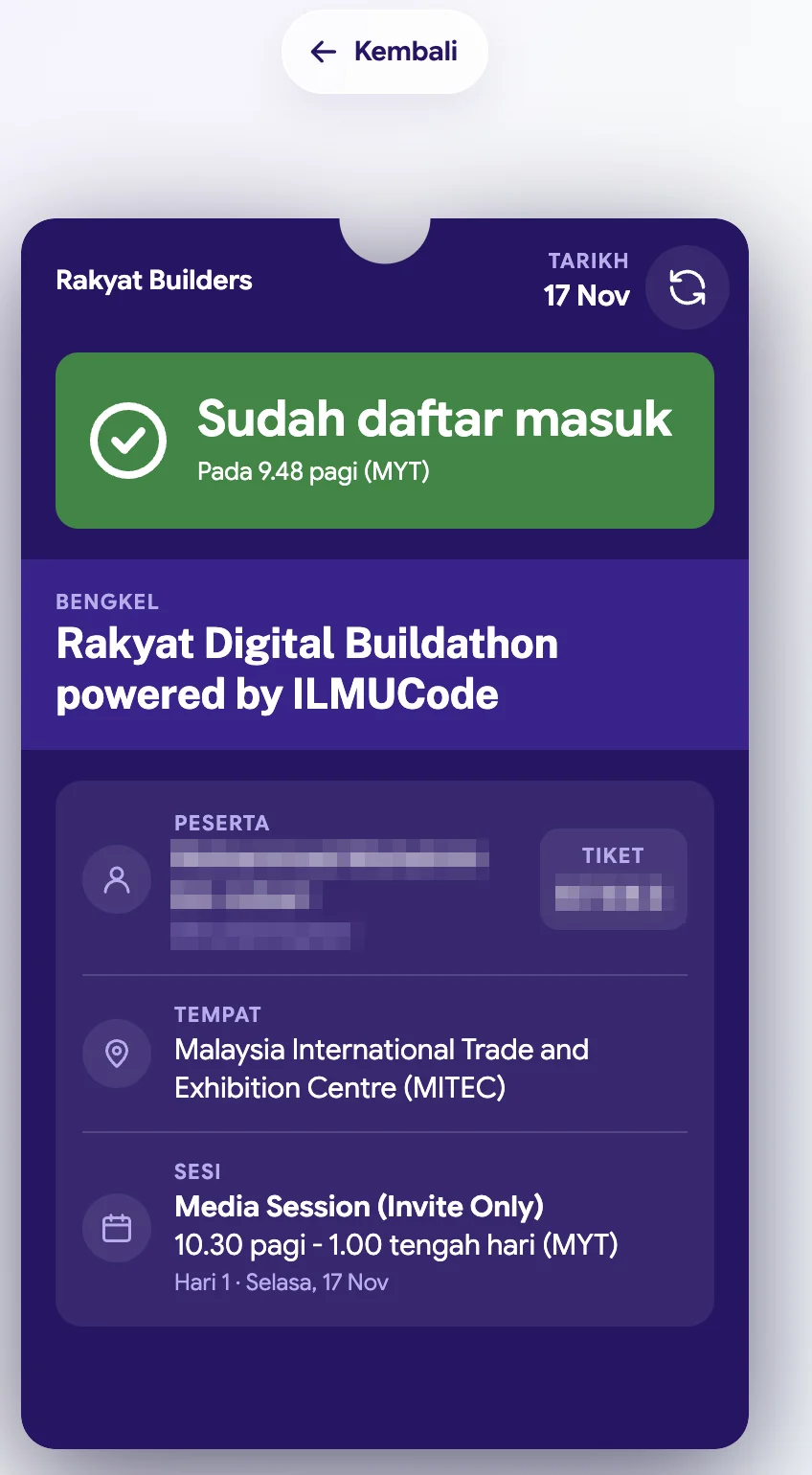
On Builder Hub, tap your profile picture (1), then Tiket saya / My tickets (2). Or open the Buildathon event and tap Lihat tiket anda (View your ticket). Keep it ready: our crew can check you in at any time during the event.
Open Builder Hub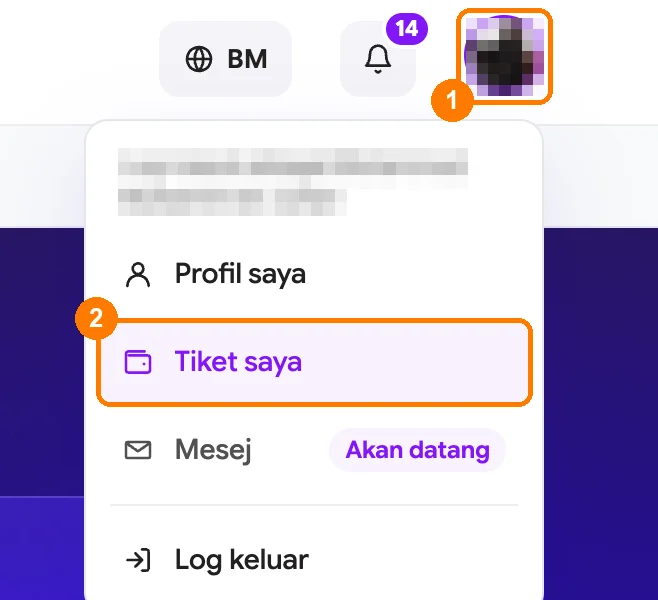
It holds your session, your project and your certificate, and stays yours after the event.
Volunteering? Skip this. Go straight to the desk and give your name.
Each button opens the account it created. Joined with Google? Keep using Google; you can connect GitHub from your profile afterwards.